How to synchronize my data with BloFin
How to synchronize my data with BloFin and create my API key.
Step 1: Log in to your BloFin account
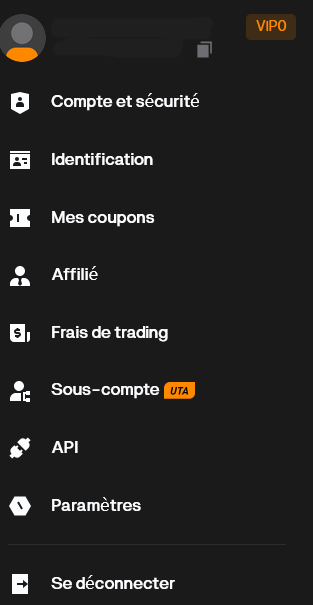
- Click on your profile picture, then go to "API"
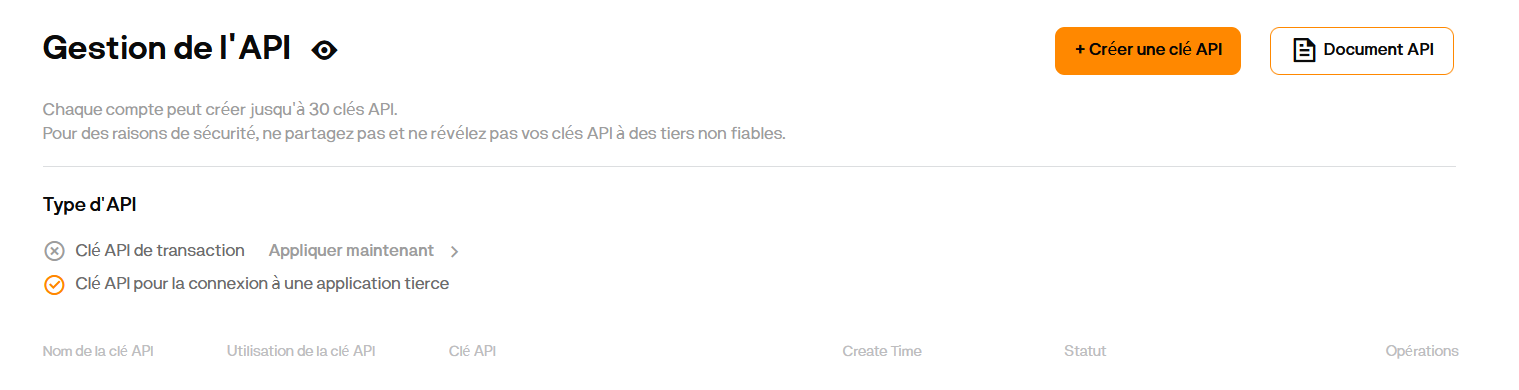
- Click on "Create API Key"
- Enter the required information to create the API:
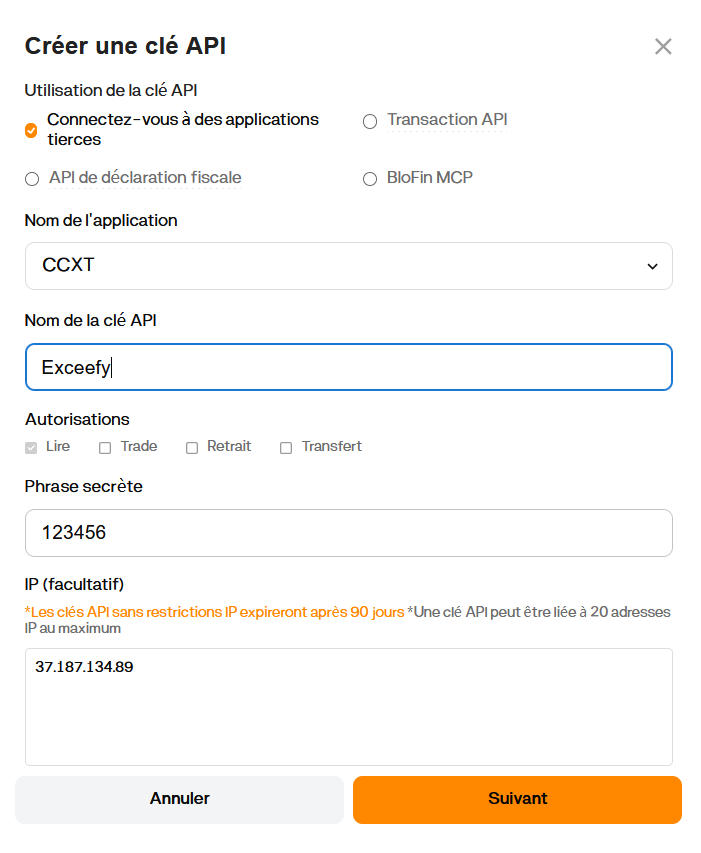
Name: for example Exceefy
Passphrase: security password (note: do NOT use something like 123456)
Permissions: check Read
IP: add 37.187.134.89
- Enter your security details, then click "Confirm"
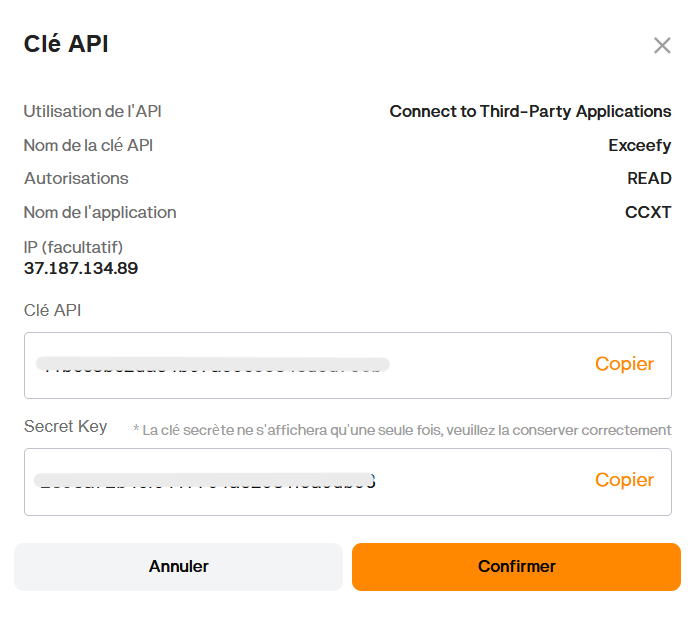
- Copy your API key and Secret key
Step 2: Add the API key in Exceefy
- Click on the profile icon, then go to Settings > Wallet
- Select an existing wallet or create a new one
- Fill in the required information:
Wallet name
Platform: choose BloFin
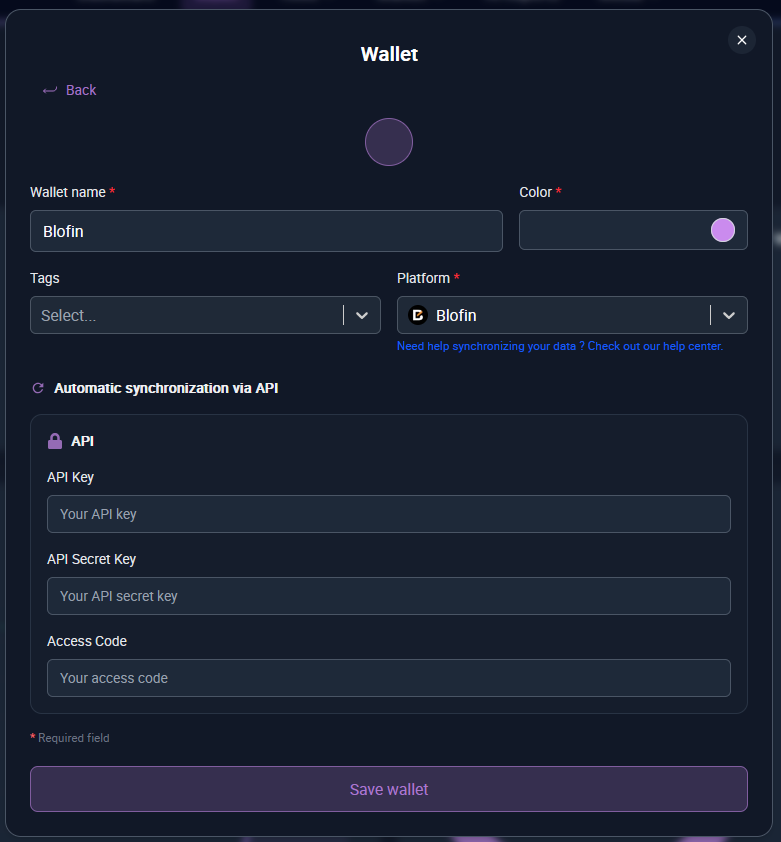
- Three new fields will appear:
API Key, Secret API Key, and Passphrase - Copy/paste the information generated from your BloFin account (see Step 1)
- Click on "Save and test"
👉 If the information is correct, two new buttons will appear:
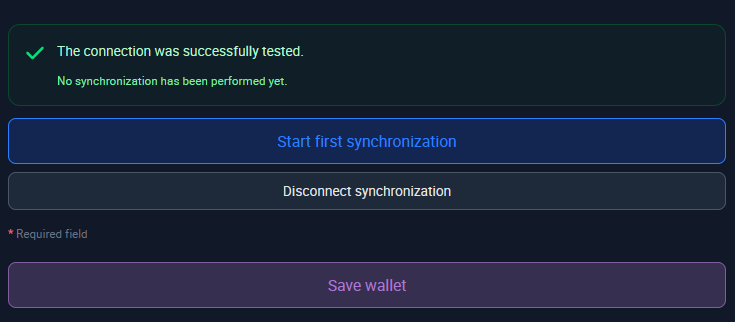
- Start first synchronization: launch the initial import of your transactions (this may take a few minutes).
During the first sync, average prices (cost basis) will not be filled in because BloFin does not provide this data. You will need to manually edit your asset lines to set the initial cost basis. Future transactions will be filled in automatically. - You will receive a notification once the synchronization is complete.
Step 3: Transaction tracking
- Once the synchronization is complete ✅, all your BloFin transactions are imported into Exceefy
- Future transactions will be automatically synced every 24 hours
- Don’t worry if you don’t see your latest transactions immediately they will appear during the next update