How to delete a wallet
Easily remove a wallet from your Exceefy settings in a few clicks.
To delete a portfolio in Exceefy:
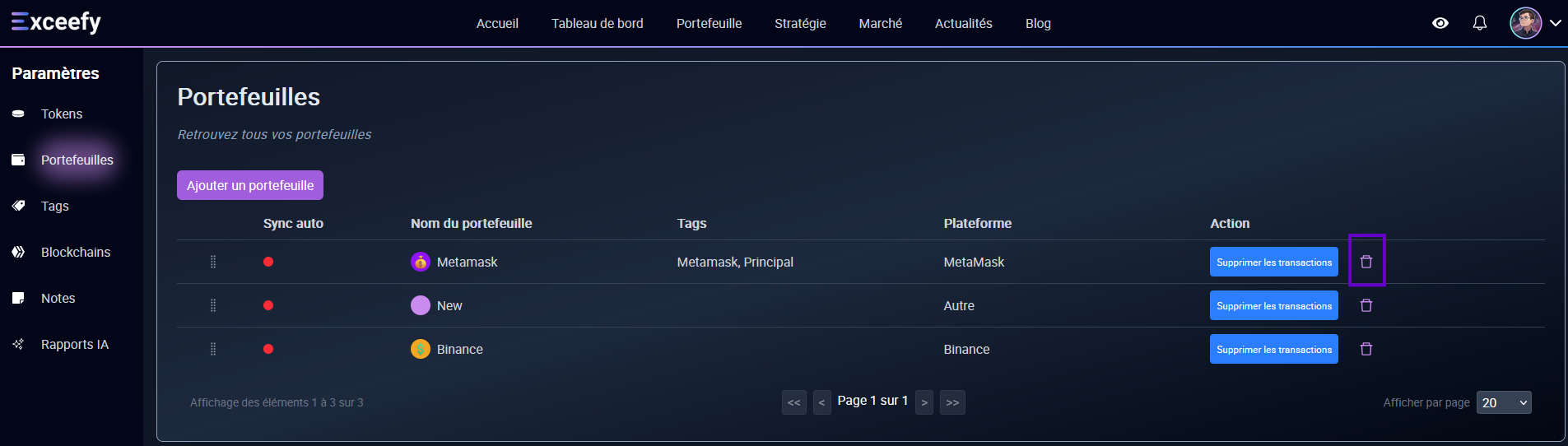
See you in Settings > Wallet.
In the table, find the portfolio you want to delete.
Click the Delete Associated button.

⚠️Important: Before you can delete a wallet, you must first:
Remove All associated transactions.
Delete or deactivate related strategies.
Remove notes attached.
👉 As long as these elements exist, the deletion of the wallet will not be possible.